
Everything the daily work of a hotel needs.
Keyshift covers the front desk, rooms, channels, invoices, restaurant, revenue and more, in one system.
Front desk and reservations
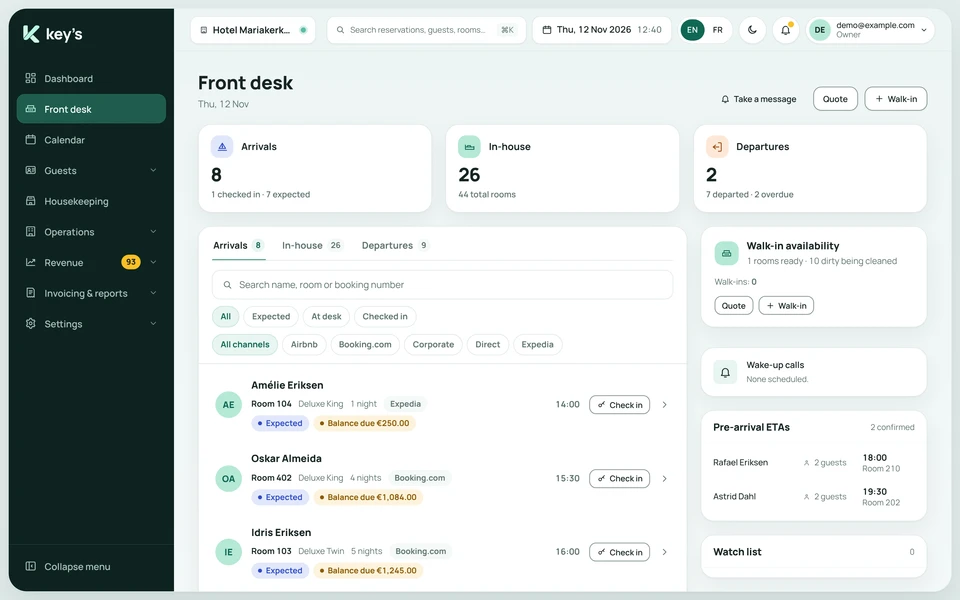
Know who arrives, who stays and who leaves today, and move bookings with a drag.
- See today’s arrivals, in-house guests and departures, with the balance due and the booking source on each.
- Check guests in from the arrivals list.
- Add a walk-in or give a quote from the front desk, next to the rooms that are ready.
- See expected arrival times before guests arrive.
- Open the reservation calendar to see every room and every night. Drag a booking to move it, or filter by status such as confirmed, checked in, tentative or blocked.
- Keep a waitlist.
Housekeeping with tablets
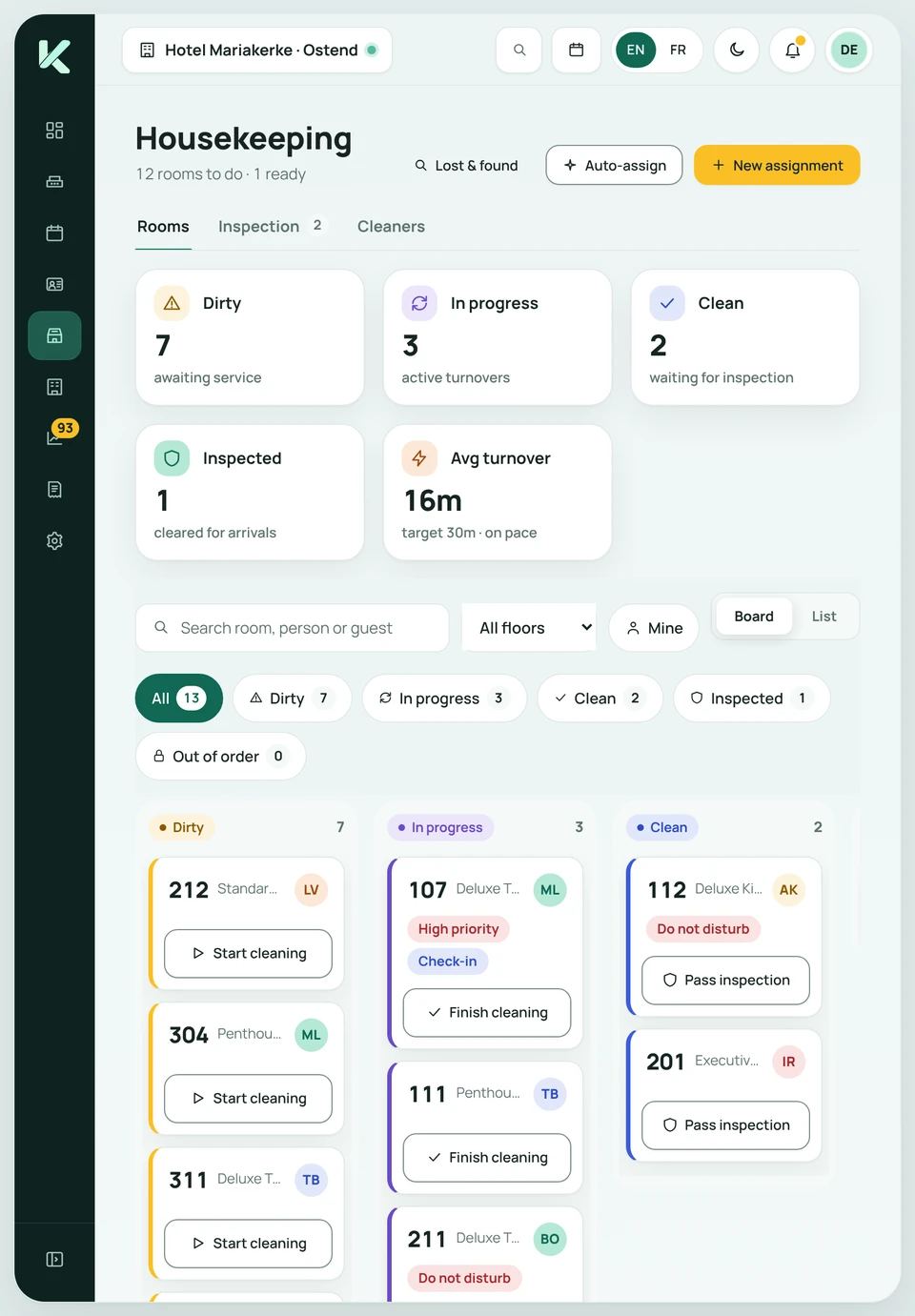
A live board of every room, on the devices your team carries.
- See each room as dirty, in progress, clean, inspected or out of order.
- Staff start and finish cleaning from a tablet or phone.
- Rooms are cleared for arrivals once they pass inspection.
- Share out the work with auto-assign, or create assignments by hand.
- Room cards show flags such as high priority, do not disturb and check-in.
- Follow the average turnover time against your target, and keep a lost and found list.
Channel manager
Keep your rooms and prices in sync with the booking sites.
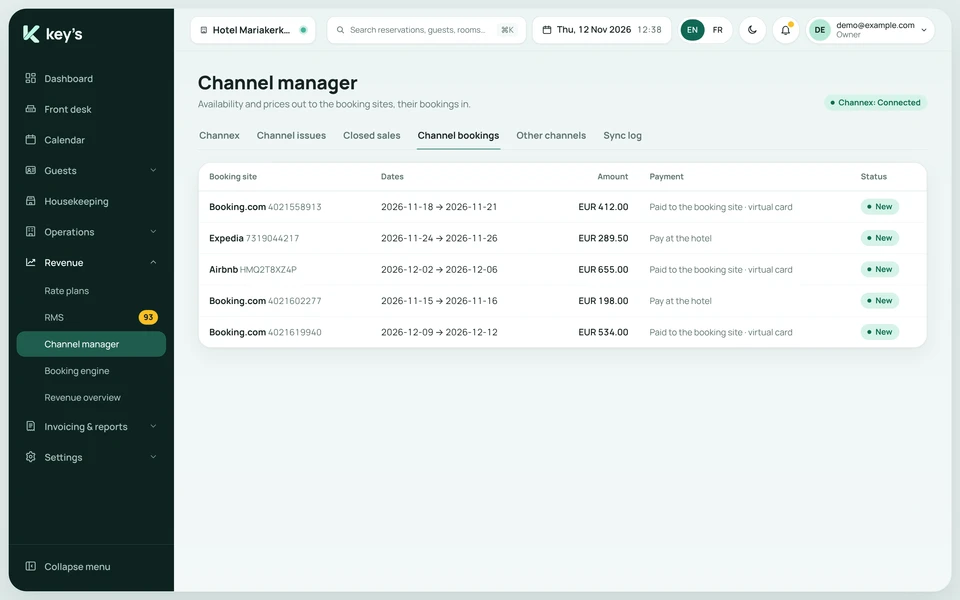
- Availability and prices go out to the booking sites, and their bookings come in.
- Works with booking sites such as Booking.com, Expedia and Airbnb.
- See every channel booking with its dates, its amount, and whether it is paid to the booking site or at the hotel.
- Check for channel issues and closed sales, and read the sync log.
- Sync on demand, and choose whether booking sites see your overbooking allowance.
Payments and invoicing
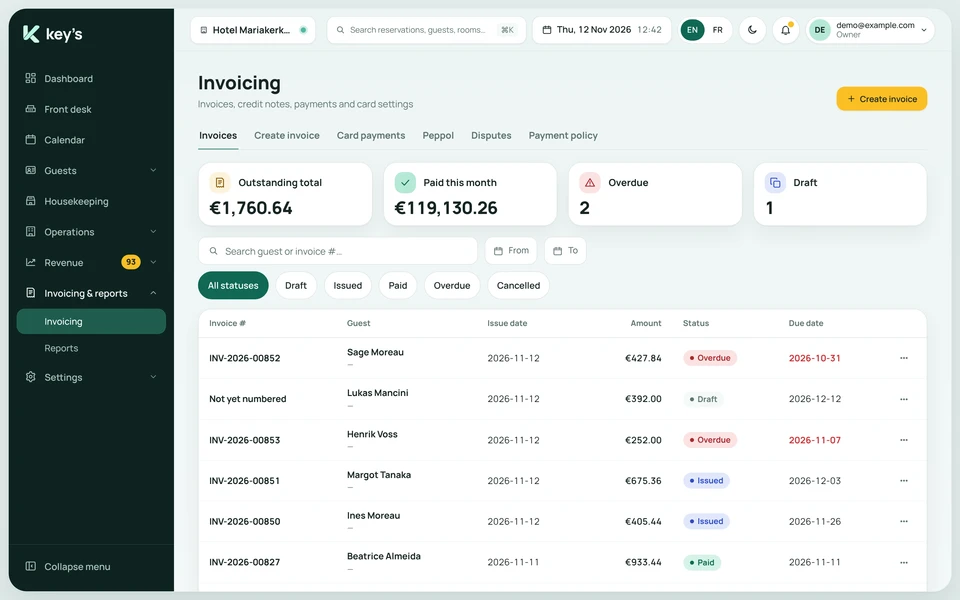
Invoices, credit notes and card payments, with the status of each in view.
- Create invoices and credit notes.
- Filter invoices by draft, issued, paid, overdue or cancelled.
- See the total outstanding, what was paid this month and what is overdue.
- Manage card payments and disputes.
- Set a payment policy.
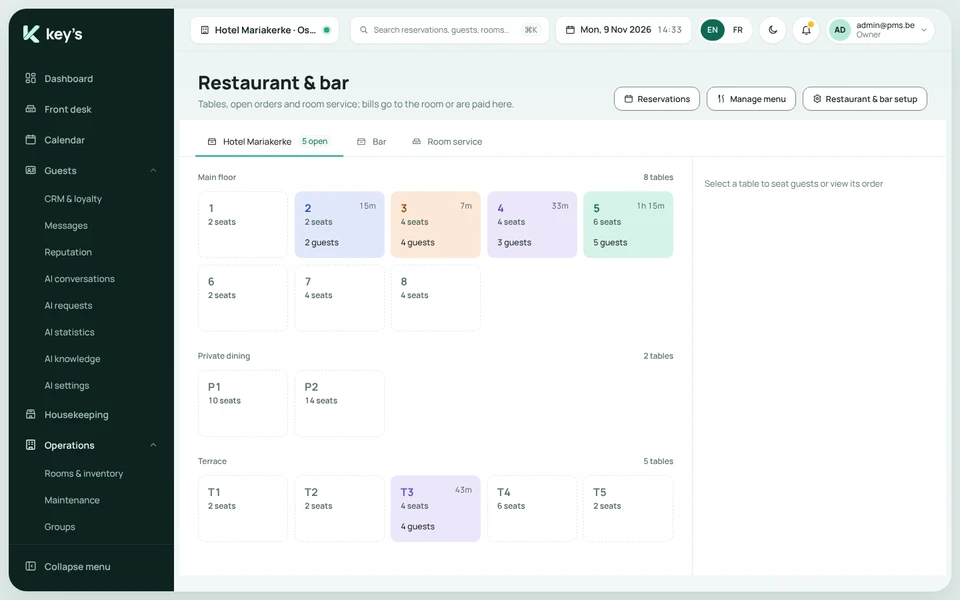
Restaurant and room service
Tables, open orders and room service, connected to the guest’s stay.
- See tables by area, with open orders and how long guests have been seated.
- Run a bar and room service next to the restaurant.
- Start an order for a room by typing its number.
- Charge a bill to the guest’s room, or have it paid there.
- Manage your menu and set up your restaurant and bar.
Revenue management
See how the hotel is doing, and set prices with help.
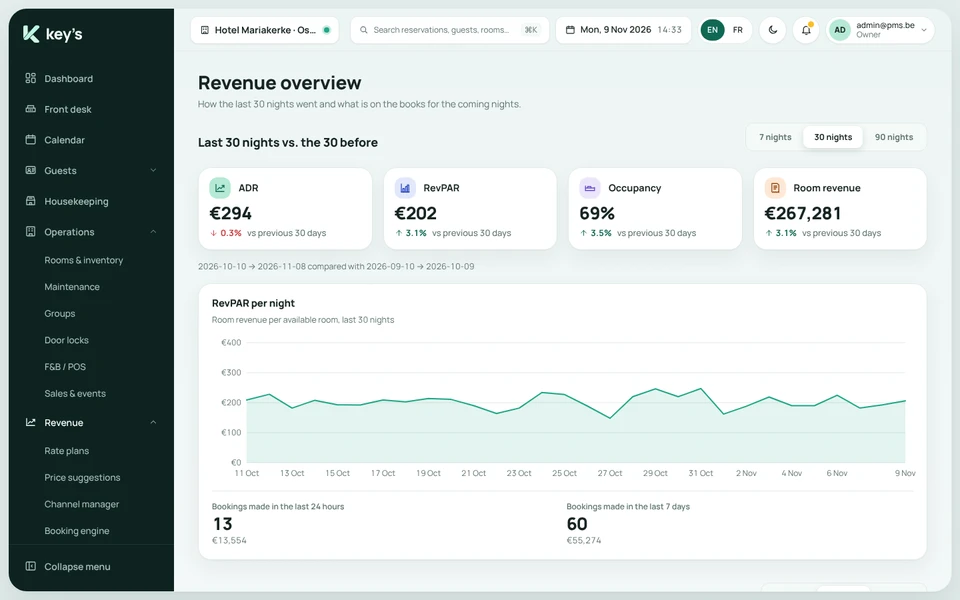
- Follow occupancy, ADR, RevPAR and room revenue against the previous period, over 7, 30 or 90 nights.
- Build rate plans from a master rate, with derived plans, promotions, pricing rules and city tax.
- Push your rates to the channels.
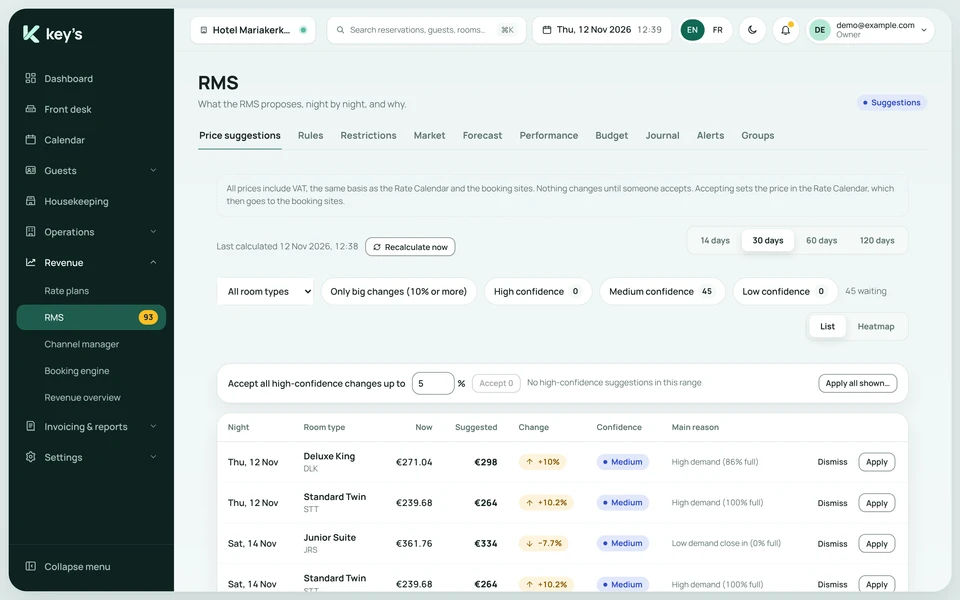
- Get price suggestions night by night, each with a reason and a confidence level. Nothing changes until someone accepts it.
Groups and events
Hold rooms for groups, and sell your meeting and event spaces.
- Hold blocks of rooms for weddings, companies and teams, and follow how many are picked up.
- See when unbooked rooms go back on sale.
- Check availability and run a displacement analysis.
- Keep meetings, weddings and banquets in your spaces, from inquiry and quote to confirmed.
- Manage corporate accounts with agreed rates.
Multi-hotel overview
See all your hotels in one place.
- One overview of revenue, costs, margin, occupancy and guests in-house across the group.
- Group hotels by country or region, and compare them.
- See which hotels need attention.
- Open any hotel from the overview.
See if Keyshift fits your hotel.
Book a demo and we will show you around. Or ask us for a quote.